Error 002 - Wrong MLS
The CSV file you uploaded does not match the MLS you selected. Each MLS export files slightly differently and will cause the chart to load incorrectly.
In the “Create New Chart” area, double check your MLS selection. See image below.
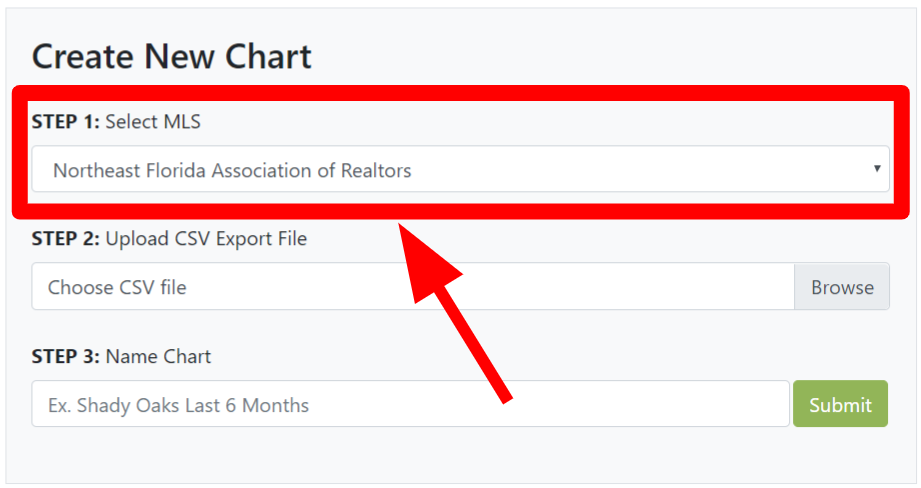
If you believe you should not have received this error. Please submit your CSV file and note the MLS selected HERE.
If you do not see your MLS listed. Please submit your CSV file and note your MLS HERE.
DID YOU KNOW: You can set a default MLS in your profile, so that you don’t have to click the drop down every time?
